

Many people dream of publishing mangas or simply creating illustrations and fan art. With the advancement of technology, most of that work moves to a graphics tablet and a solid set of applications — not only for line art, but for panels, tones, speech balloons, and page management. With that in mind, this article walks through practical tools that help when you edit art and build comics, starting with free options from the MediBang family that still matter for beginners.
You do not need a studio full of software on day one. What you need is a clear workflow: rough the page, ink and tone, then share the finished piece where readers actually browse. The apps below cover that path without pretending one program replaces practice.
Programs for editing illustrations and mangas
MediBang Paint — MediBang Paint Pro is free, relatively light software built for illustrations and mangas. It runs on Windows and Mac and has mobile versions, so the same cloud account can follow you from desktop to phone. Free does not mean empty: you get dozens of brushes, layers, comic layouts, page control for multi-page projects, and materials such as backgrounds and screen tones that manga pages lean on heavily. Official downloads and tutorials live on the MediBang Paint site, including beginner manga lessons that teach panel flow without locking you into a paid stack.
MangaName — MangaName is a streamlined app with a pen, eraser, shapes, and just enough structure for roughs. In Japanese manga production, a name (ネーム) is the draft layout: panel order, character placement, camera angles, and dialogue before finished inks. The app is aimed at that stage — quick thumbnails and page order — then you can push the file toward MediBang Paint through cloud save when you are ready to ink. It is not a full paint suite; it is a pocketboard for thinking on the train or between classes.
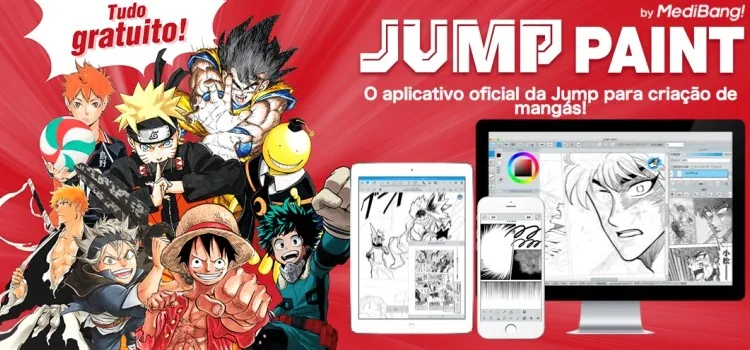
Jump Paint — Jump Paint is the free manga creation app made with Weekly Shonen Jump’s editorial side, available for PC, smartphone, and tablet. Beyond G-pen, layers, and tones, it bundles tutorials and sample-based lessons produced with Jump’s approach to story, characters, and dialogue. Brushes and many tones come free, and cloud save helps you move work between devices. Treat “free and unlimited space” claims carefully: cloud features exist and help a lot, but account rules and service limits can change — what stays useful is the ability to draft, ink, and study Jump-style techniques without buying a full professional license first.
How do these three fit together? MangaName for the rough name, MediBang Paint as the everyday paint and comic toolkit, Jump Paint when you want Jump’s lesson pack and free tones in the same family of tools. None of them replace Clip Studio Paint or other paid industry standards later on; they lower the barrier so you can draw more pages before you invest.
You can open Jump Paint and related MediBang downloads from the official English pages linked below:
Where to publish illustrations and mangas
ART street by MediBang is the community side of the same ecosystem: a place to post illustrations and comics, follow other creators, and sometimes enter contests. Publishing there can put your work in front of people who already use MediBang tools. Beyond ART street, other long-standing homes for finished pages include:
- Pixiv — The main online artist community where members submit illustrations, mangas, and novels, or search for works by others; tags and series make it easy to find readers who already care about your genre.
- MangaDojo — An older web community aimed at professional and independent mangaka who want to showcase work and exchange feedback; treat it as one more portfolio stop, not the only one.
- DeviantArt — A large social network for sharing illustrations, drawings, and finished art, still useful when you want a broader audience outside Japan-centric platforms.
Pick one primary stage for finished pages and keep file names, covers, and update rhythm consistent. Tools get you from blank canvas to export; communities decide whether the next chapter gets comments — and that loop is what turns a free brush pack into a real habit of drawing manga.
If you want a longer path from hobby to craft, these related guides stay on the same trail:




Community
Comments
0 comments
There are no published comments in this language yet.
Send comment