
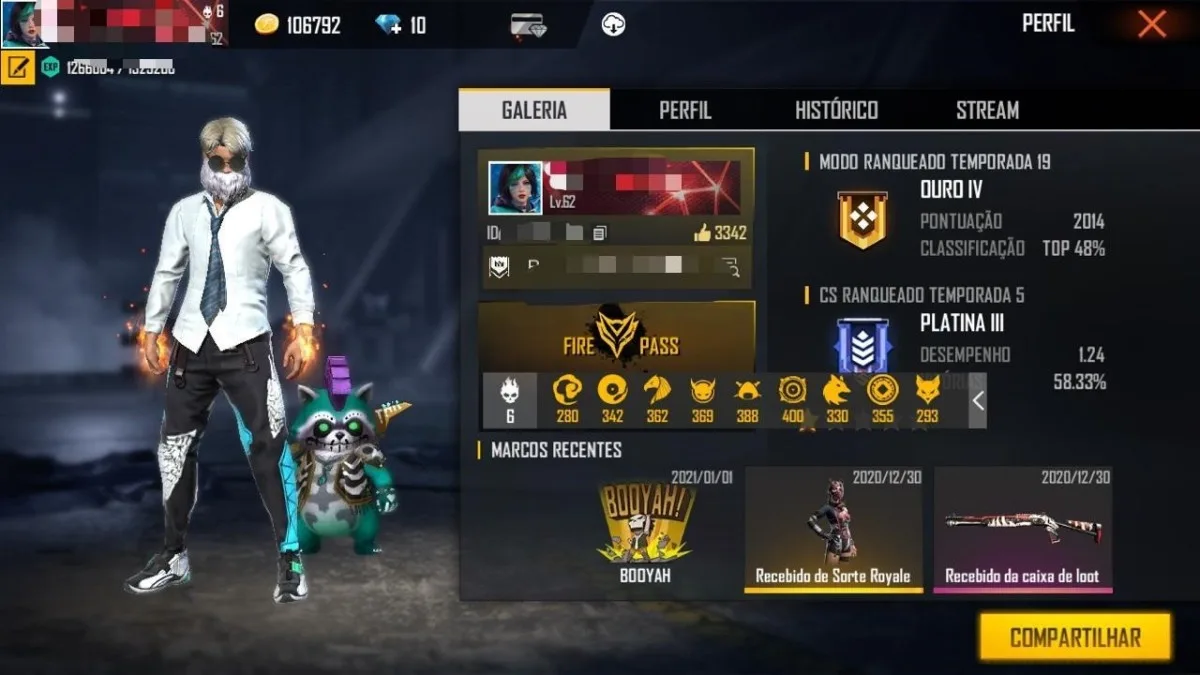
When the deletion appears in the corner of the screen, no one has time to decipher a signature full of embellishments. That's why some Japanese nicknames work so well in Free Fire: two characters like 夜狐 or 蒼影 already create an image and remain visible on the scoreboard.
The challenge is not finding any Japanese symbol to stick. It's choosing writing that you recognize, that fits in the name field and that doesn't look strange after a week. Below is a practical path to arriving at an option of your own, without relying on lists that deliver the same sequence to thousands of players.
Contents 5
Start with the type of nickname you want to see in the match
Before opening the profile screen, choose an image. A night-style nickname might use moon, shadow, fox, or wolf; a more aggressive profile blends better with thunder, blade, or wind. This idea gives coherence to the name and avoids the trap of putting characters together just because they look pretty.
| Style | Idea in Japanese | Why it works in Free Fire |
|---|---|---|
| Discreet | 凪 or 星 | It's short and remains readable in the player list |
| Nocturnal | 夜狐 or月影 | Creates a strong image without using too many symbols |
| Competitive | 雷狼 or 紅刃 | Has rhythm and presence when appearing in an elimination |
| Close to your name | ケビン, for example | Uses katakana to approximate the sound of a Latin nickname |
Kanji is great for a visual codename; Katakana tends to make more sense when you want to adapt the sound of an already used name. None of these options are an automatic translation of your name. If this is your goal, it is worth first understanding how foreign names are written in Japanese.
Generate options before spending a nickname change
The simplest way is to use Japanese name generator for games. Enter your name or nickname, try out the three styles and save two or three possibilities. The tool creates nicknames in Japanese script to inspire your tag; it does not promise that a name will be free nor that all characters will be accepted in the game.
When you find a good option, copy the clean version first. A frame like ✦ or † can add finishing, but it shouldn't be the part that makes the name recognizable. If the profile field blocks the symbol, you will still have 夜狐 or 蒼影 ready to paste without re-choosing.
How to test the name in Free Fire
- Open your profile and locate the name edit option displayed by the game version.
- Paste the nickname without additional symbols and check that all characters appear complete.
- Read the result in the size of the game itself; a nice name in large text can be confusing on the scoreboard.
- Check the confirmation shown by the account before accepting the change, especially if there is an associated item or cost.
- Only then test a memorized version, if it still makes reading easier.
Interface and change conditions may change with updates, region and account type. Therefore, the test within the profile is worth more than an old tutorial stating a fixed rule. Care should also be taken to avoid changing a nickname that already worked for a version that the field reduces or rejects.
Avoid copying an entire list of nicknames
Ready-made lists help when you have no idea, but they have a flaw: the nickname stops seeming yours as soon as the same combination appears on several profiles. A short term chosen by you, even simple, has more presence. Think of a word that describes the way you play or an image you want to add to the account.
You also don't need to use a Japanese personal name to have a Japanese aesthetic. male Japanese names may be interesting in another context, but a battle nickname works best as a codename. The difference seems small until you read the name in the middle of a match.
A short version lasts longer
Free Fire has quick screens, team list, leaderboard and friend invitation. A nickname of two to four Japanese characters or a short word in Katakana usually passes through all these places without losing shape. Keep the original version in a note and don't choose something you can't recognize later.
If the first option doesn't fit, don't turn this into a race for strange symbols. Go back to the generator, change the style and try another image. The best Japanese tag for Free Fire is the one that still feels like yours when the fight starts.
Before saving, compare the reading on your cell phone and computer. If the nickname remains clear on both, you preserve the idea without depending on effects that may not appear the same way on every screen.

Community
Comments
0 comments
There are no published comments in this language yet.
Send comment