
Japan is one of the most connected countries on the planet — and still, many visitors land expecting gigabit fiber on every street corner and discover something more mixed: excellent mobile data in big cities, free Wi-Fi that works when you need maps, and home plans that depend on the building more than on the brochure.
Before you pick a plan, it helps to know what actually matters on a trip or a move: coverage, data allowance, price, and how fast you can activate. The short video below walks through those points for travel eSIMs.
Speed and price of the internet in Japan still vary a lot by company, region, and contract. Fiber can run from roughly 100 Mbps up toward multi-gigabit “hikari” services; mobile data is often plenty for maps, translation, and streaming when you are on a solid 4G or 5G signal. A fast line without a stable path to the server still feels slow, so raw speed is only part of the story.
Contents 10
Internet Services in Japan
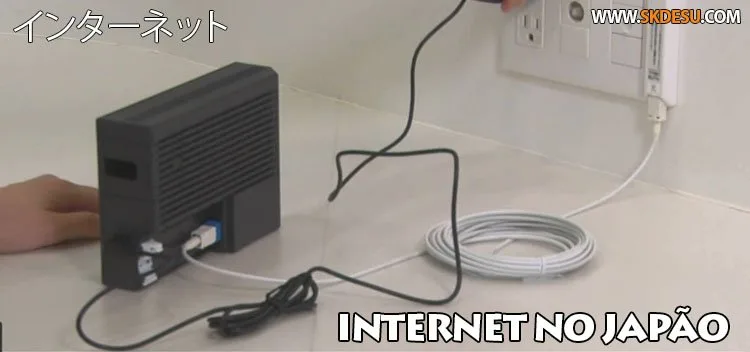
Home fiber under brands tied to NTT Hikari and other providers commonly offers 100 Mbps to 1 Gbps, and higher tiers exist in some cities. The provider that installs the line and the provider that sells you the ISP package are not always the same company — a common setup in Japanese apartments.
Well-known names you will see on billboards, router stickers, and building flyers include:
- NTT / OCN
- SoftBank Hikari
- au (KDDI) Hikari
- BIGLOBE
- So-net
- @nifty
- Asahi Net
- Yahoo! BB (SoftBank lineage)
Monthly prices often sit somewhere around 3,000 to 8,000 yen depending on speed, options, and campaigns. Installation and initial fees can hurt more than the monthly rate. Many apartments and condos already have a building-wide deal; some include internet in the rent or offer a fixed “100 Mbps class” plan for about 3,000 yen. Always ask the landlord or real-estate agent what is already wired before you sign a personal contract.

Mobile Internet in Japan
The three national mobile groups — NTT Docomo, KDDI (au), and SoftBank — plus MVNOs that ride those networks cover most of the country. 4G is widespread; 5G is strong in urban corridors and still patchier in mountains and rural stretches. Portable “pocket Wi-Fi” routers (including services that once marketed WiMAX heavily) remain popular with groups who need several devices online at once.
Hotels, airports, major stations, and many malls offer free Wi-Fi. Sign-up screens, short sessions, and content filters are common, so free access is handy for a map check, not always for a full workday. Japanese users often carry a small hotspot that shares mobile data with phones and laptops nearby. Data caps and fair-use slowdowns still exist on many tourist and budget plans once you burn through the high-speed bucket.

How Can a Tourist Access the Internet?
For most visitors, the practical choices boil down to three: eSIM, physical prepaid SIM, and pocket Wi-Fi rental. International roaming on your home carrier works, but the bill can climb fast if you stream or navigate all day.
eSIM
An eSIM is a digital plan you install with a QR code or app — no tray swap. It suits unlocked phones that support eSIM (most recent iPhones and many Androids). You can buy before you fly, land, and turn data on. Plans range from a few days of light data to multi-week unlimited-style packages; some “unlimited” labels still throttle after a daily high-speed allotment. If you want a deeper comparison of plans and setup pitfalls, see our guide to eSIM in Japan and the checklist of mistakes to avoid when choosing a Japan eSIM.
Physical SIM
Prepaid data SIMs are sold online for airport or hotel delivery and in electronics stores and some convenience shops — Lawson, Yodobashi, Don Quijote, Nojima, Yamada Denki, Joshin, Aeon, Kojima, Sofmap, and similar. Your phone must be unlocked. Nano/micro trays still matter on older devices. Speeds are typically 4G/5G on a major network; data sizes and validity windows vary widely, so read the package rather than assuming one fixed price for 2 GB.
Pocket Wi-Fi
A rented pocket Wi-Fi creates a local hotspot for several devices — useful for families or anyone juggling phone, tablet, and laptop. You usually order online, pick up at the airport or hotel, and return by counter or prepaid envelope. Battery life and the need to carry one more gadget are the trade-offs; loss fees can be high, so treat the device carefully.
Which option wins depends on group size and gear: solo traveler with an eSIM-ready phone → eSIM or SIM; several people sharing maps and photos → pocket Wi-Fi; mixed bag → one eSIM plus café and hotel Wi-Fi as backup. For how phones fit daily etiquette and contracts in Japan, cell phones in Japan is a useful companion read.
Free Internet in Japan
Yes — free internet exists, and it is better than many people expect in stations and shops. The national push for tourist Wi-Fi evolved into apps and unified login flows so you do not re-register at every café.
Japan Wi-Fi auto-connect and free hotspots
Apps such as Japan Wi-Fi auto-connect (the successor path many travelers still associate with “Japan Connected Free Wi-Fi”) help you find and join free tourist-oriented networks after one registration with basic personal data. Look for free Wi-Fi stickers at the door; the mark below is the kind of signage you will see in participating spots.
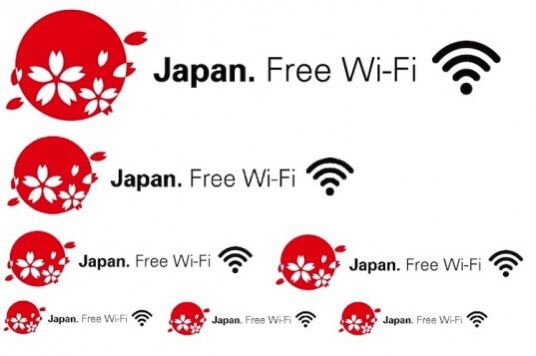
Free access points show up at international airports, major rail hubs (including busy Tokyo loops and many shinkansen stations), some trains and buses, convenience stores, tourist information offices, and plenty of coffee shops. Quality varies: one network is open after a single form; another forces a loyalty login every session.
SoftBank and other free options
SoftBank has long offered large free hotspot coverage in restaurants, cafés, stations, and hotels for visitors who complete the Free Wi-Fi Passport-style registration (often via a foreign phone on the SoftBank network). Paid city-wide Wi-Fi day passes also exist, but for most trips they lose to a cheap eSIM or a pocket router once you leave the café table.
Bottom line for free Wi-Fi: great for a quick map, message, or boarding pass; unreliable as your only plan underground or between towns. Pair it with a modest data plan if you care about trains, translations, and last-minute bookings.
Practical Tips Before You Rely on the Network
Download offline maps for Tokyo, Osaka, or your rural leg before you leave the hotel. Save screenshots of reservations and QR tickets. If you work remotely, test tethering and battery drain on day one — pocket Wi-Fi and phone hotspots both eat charge. Long overnight stays with a desk and desktop access still exist in manga kissa (internet cafés) near major stations, useful when your phone dies or you need a full keyboard.
Residents and long-stay visitors eventually leave tourist eSIMs behind for MVNO or major-carrier contracts, often tied to residence cards and Japanese payment methods. That path is slower to open than a travel plan, but monthly rates for heavy data can be kinder once you are settled. Whatever your setup, treat connectivity as part of the trip plan — not an afterthought at the gate — and you will spend more time on the platform than on the “no signal” screen.



Community
Comments
0 comments
There are no published comments in this language yet.
Send comment