
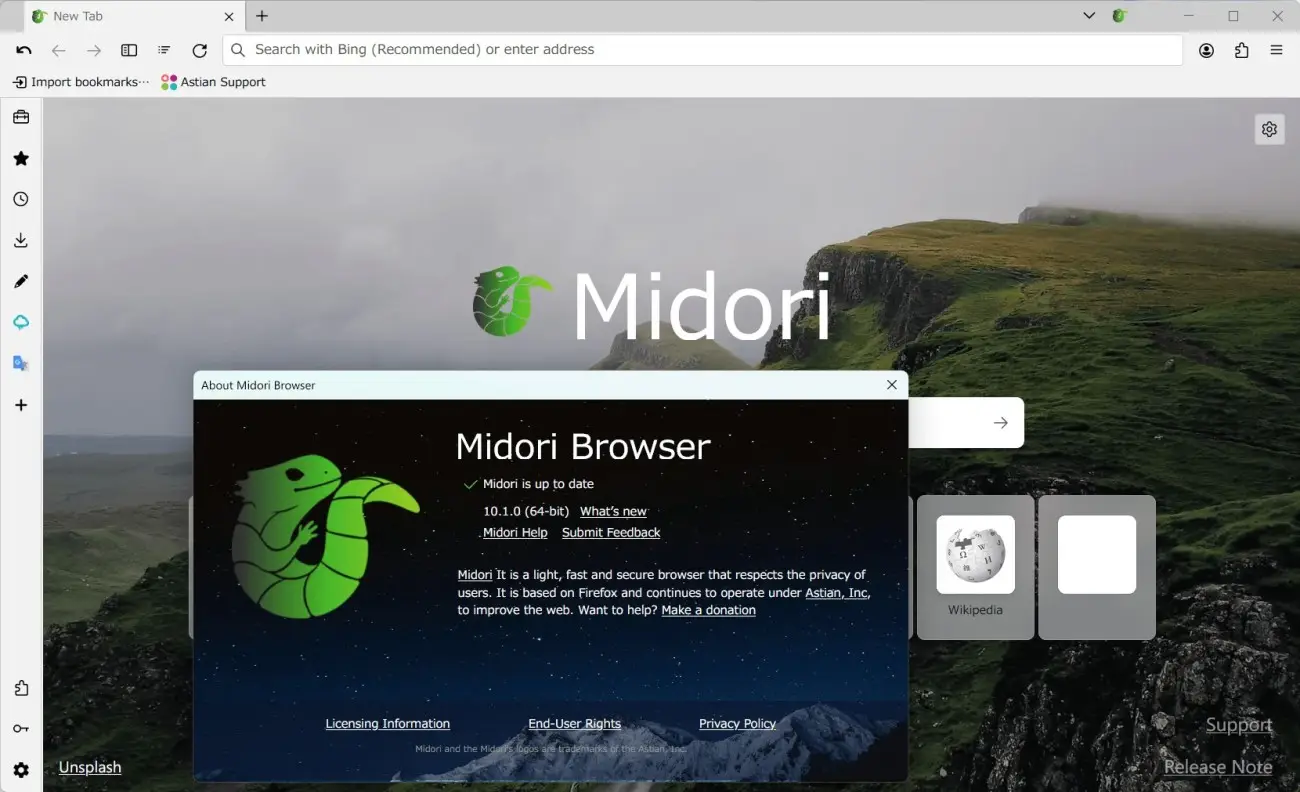
A browser's personality becomes clear before you open a dozen tabs. Some ask you to sign in, suggest a profile, or fill every corner with features you may never touch. Midori Browser, named after the Japanese word for “green,” takes a quieter route: an open-source browser built around privacy, a clean interface, and fewer reasons to hand over personal data.
Midori is worth a look if you want an everyday browser without an account requirement and with privacy protections switched on from the start. Its current official site lists desktop versions for Windows, macOS, and Linux, while its download page also presents a mobile edition. The appeal is not a magical promise of perfect security; it is a browser that tries to make a private, uncluttered default easier to live with.
Contents 5
What Midori Browser is trying to do
Midori does not need to win by offering the longest checklist. Its useful distinction is the default stance. Astian, the project behind the current version, presents Midori as open-source software under the MPL-2.0 license, with no account required to begin using it. That matters for people who prefer a browser to feel like a local tool rather than another service asking for an identity.
The project also states that telemetry and fingerprinting are not enabled by default. In practical terms, that means Midori is aimed at people who want to reduce routine tracking without first spending an afternoon searching through menus. It is a reasonable starting point, not a substitute for keeping the browser updated, choosing strong passwords, or thinking carefully before sharing information online.
Features that matter in daily browsing
A privacy label is easy to print on a download page. The more useful question is what changes while you browse. Midori includes a tracker and ad blocker as part of the browser, so there is no need to begin with an extra extension merely to get basic blocking. The official documentation also describes protection against unwanted scripts and consent pop-ups as part of its built-in tools.
- No account required: useful for anyone who wants to install a browser without tying the first session to an email address.
- Built-in blocking: tracker and ad blocking are part of the starting experience rather than an afterthought.
- Open source: the project code is public, so its direction and releases can be checked instead of accepted on advertising alone.
- Cross-platform desktop support: Windows, macOS, and Linux are listed on the current project page.
- A focused interface: Midori is aimed at people who would rather browse, read, and search than manage a crowded browser dashboard.
These features will not make every site lighter or remove every distraction from the web. They do make Midori a sensible option for someone who wants a less noisy starting point. If you rely on a particular extension, streaming service, work portal, or password manager, test those essentials before making it your only browser.
Where to download Midori safely
For software that handles your browsing, the download source is part of the decision. Start with the official Midori Browser page or the project's GitHub releases, not a random mirror with an unfamiliar installer. The official download page explains the available editions and the project's release materials provide a second place to check what is current.
After installation, take a few minutes to inspect the settings that affect your own routine: search engine, blocker behavior, imports, privacy preferences, and how tabs fit your workflow. A browser can have strong defaults and still need small adjustments to become comfortable for the person using it every day.
Who should try Midori Browser?
Midori makes the most sense for people who value a calm interface and would rather begin with fewer tracking features than opt out later. It can also appeal to Linux users, people switching among desktop systems, and anyone curious about open-source alternatives to the largest browser brands.
It may be less suitable when your work depends on a tightly managed company browser, a very specific extension setup, or automatic synchronization with a service you cannot leave. That is not a flaw unique to Midori; it is a practical reminder that a browser choice should match the sites and tools that fill your day.
Is Midori Browser worth trying?
Yes, if the idea of a privacy-first browser with an integrated blocker and no required account sounds useful to you. Midori does not need to replace every browser on your device on day one. Try it with the pages you actually use, notice whether the interface helps you focus, and check that your important services behave as expected.
Its name suggests green, but the stronger idea is restraint: fewer unnecessary requests, fewer default demands, and more room to browse on your own terms. For many people, that is enough reason to give Midori Browser a serious test.






Community
Comments
0 comments
There are no published comments in this language yet.
Send comment